Dig & Clean Roblox Dig & Clean Official Links
Game page, community hubs, and where to find patch news.
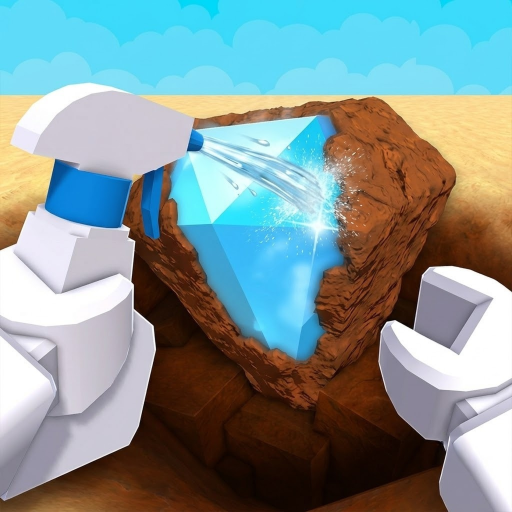
This links hub collects every official and community destination for Dig & Clean on Roblox in one bookmarkable page. The wiki is fan-made — we are not affiliated with the developers — but we maintain verified URLs and note where placeholders need your community’s real invite links.
Use this page when you need the Roblox experience link, when you are hunting Discord announcements for new codes, or when you want to share one URL with friends who already read Getting Started.
Official Roblox game
Play Dig & Clean on Roblox — the canonical game page. Favorite it for quick rejoin, check the About tab for developer descriptions, and verify the experience ID matches 83038462357724 before logging in on unfamiliar links. Phishing sites mimic Roblox login pages — real game URLs always use roblox.com.
The same URL is configured in site.meta.json as gameUrl for this wiki’s CTA buttons and structured data.
Discord (placeholder)
Developers have not published a verified permanent Discord invite in the public Roblox description at wiki compile time. When an official server exists:
- Confirm the invite comes from the game’s Roblox page, a developer social account, or in-game notice — not random YouTube comments.
- Replace this placeholder section with the real invite link.
- Use Discord for code announcements, downtime alerts, and bug reports faster than wiki edit cycles.
Until then, track code launches on the Codes page and patch summaries on Updates Hub.
Community resources
Fan wikis and social channels fill gaps between patches. Useful community destinations to watch (add links when verified):
- Roblox group — if the developers publish a group link on the game page, join for experience notifications.
- Developer Twitter / X — patch teasers sometimes precede Roblox update logs.
- YouTube creators — tutorial videos linked from Guides Hub use real video IDs; prefer guides that show in-game UI matching Update 1.
We do not list script distributor sites here. Automation risks are documented on Scripts with ban disclaimers.
Wiki cross-links (fast navigation)
| Topic | Page |
|---|---|
| Promo codes | Codes |
| Gear stats | Gear Hub |
| Patch notes | Updates Hub |
| Walkthroughs | Guides Hub |
| Calculators | Tools Hub |
| Script hubs | Scripts |
Share digandcleanwiki.wiki as the fan wiki home — English at root, French/German/Spanish/Portuguese under locale prefixes.
Legal and wiki policies
Terms, privacy, and cookie pages live at /terms/, /privacy/, and /cookies/ (English only). This wiki runs ads on content pages but not on legal pages per template rules.
Report broken links or phishing impersonators through whatever community channel you trust once Discord is confirmed.
Is this wiki official?
No. Dig & Clean Roblox Wiki is an independent player resource built from public game information, Update 1 patch notes, and verified gear costs. Game names and Roblox logos belong to their owners. For authoritative ban appeals or account issues, use Roblox Support — not this wiki.
Staying safe online
- Never enter Roblox credentials on non-roblox.com domains.
- Treat “free Robux for codes” comments as scams.
- Script loadstrings execute arbitrary code — see Scripts risks before pasting.
- Verify game IDs in the URL bar before playing.
Bookmark the official Roblox link above, watch Updates for patch day, and replace the Discord placeholder when developers publish a real invite.
Frequently Asked Questions
Quick answers to the most common Dig & Clean questions.
What is the official Dig & Clean Roblox link?
https://www.roblox.com/games/83038462357724/Dig-Clean — verify the experience ID before logging in.
Is there an official Discord server?
No verified permanent invite was public at wiki compile time. Check the Roblox game page for updates and replace the placeholder when confirmed.
Is this wiki official?
No. This is a fan-made wiki. Use Roblox Support for account issues.
Where do new codes get announced?
Watch developer Discord or social channels when available. We also update the Codes page after confirmed launches.
Why are script sites not listed here?
Script distributors carry ban and malware risk. See the Scripts page for loadstrings and disclaimers instead.
How do I report a broken link on this page?
Contact wiki maintainers through community channels once Discord is verified, or open the relevant Git repository issue if published.